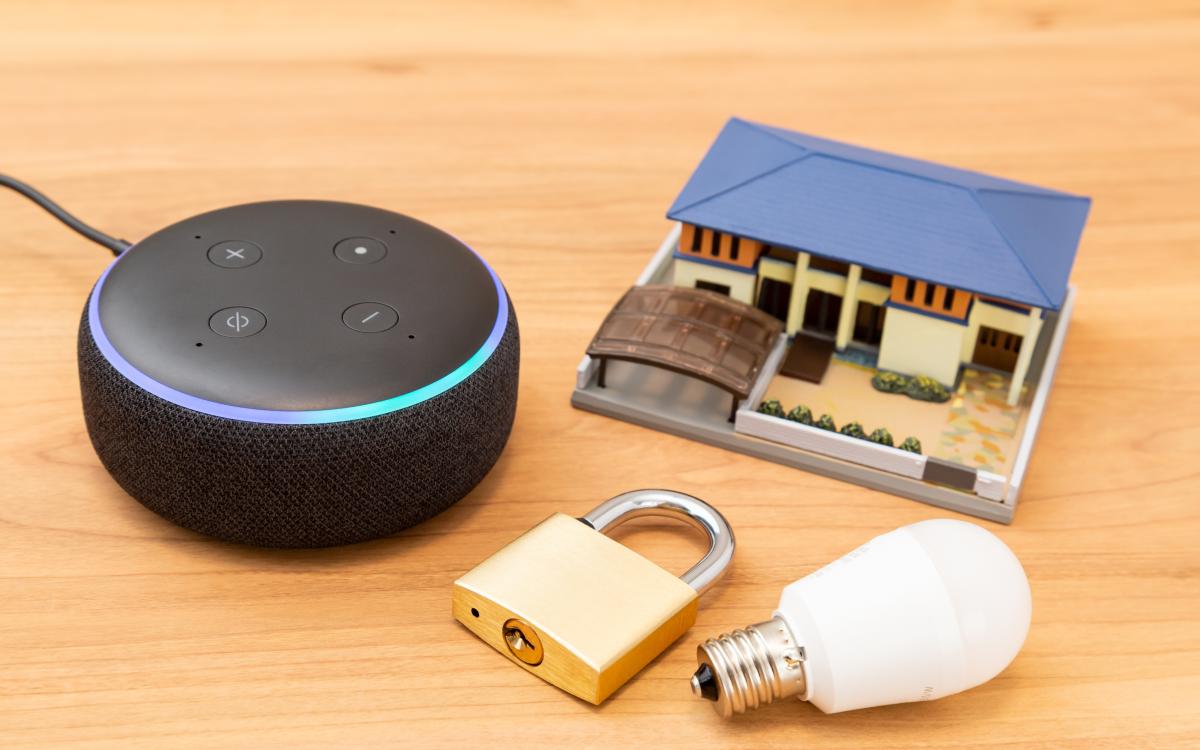
We live in an era where technology can stand guard for us, enhancing security, safety, privacy, health, and overall well-being every day. And leading the charge are smart devices like Amazon Echo (with Alexa) and Google Nest (with Google Assistant). These friendly helpers are smart speakers, yet their wide range of capabilities makes calling them just “speakers” seem limiting. When used wisely, these technologies can strengthen home security and provide peace of mind.
Amazon Echo offers an interesting feature called Drop-In, which is a lifesaver that helps you reach out for help or connect with loved ones within seconds. For example, if you’re in your bedroom and need to talk to someone in the living room, you can open the Alexa app on your phone and ask the assistant to “drop in” on the Echo in the living room. Likewise, if your Echo is in the bedroom, you can simply ask Alexa to instantly connect and talk to someone’s smartphone, whether it’s inside or outside the house. This will establish an intercom-like connection between the two devices, eliminating the need for dialling. That said, for this feature to work, the person you want to drop in on must have the feature enabled on their smartphone. This makes it a handy way to quickly chat with family or friends, whether at home or away, without needing to pick up a phone or dial.
2) Make Announcements Instantly
When you want to share something with everyone at home, both the Echo and the Google Nest let you easily broadcast messages using just your voice. Whether it’s a friendly reminder like “Dinner’s ready” or a simple “Let’s meet in the living room,” Alexa’s Announcements and Google’s Broadcast make sure your message reaches all connected speakers—and with Google, even phones—so everyone stays in the loop with no hassle. It also helps keep everyone safe by quickly sharing important reminders or information, so help can arrive sooner if needed.
You can easily call your loved ones by using Google Nest and Alexa devices when your phone isn’t nearby. Simply ask the assistant to dial the required number from your account or contacts. If you don’t have a contact saved, you can say the phone number aloud, and the assistant will dial it for you.
This can be useful during a slip or fall in the house that leaves you unable to get up, and there’s no one nearby to help you. Instead of waiting or searching for your phone, you can use Echo or Nest’s help to reach out to your emergency contact or service.
But it is essential to note that both Google Nest and Echo require special subscriptions to make direct calls to emergency services. For Google, you’d have to purchase the Nest Aware subscription, and for Alexa devices, the Emergency Assist subscription. With these activated, you can directly call 9-1-1 with a command.
4) Use the Guard Feature Confidently
Amazon Echo offers the Guard feature, which provides a sense of security, much like having a gentle, watchful ear when you’re not home. This feature keeps the Echo’s microphones activated to listen for any suspicious noises, such as a window breaking or a smoke detector going off. Once a sound is detected, Alexa sends an alert to your phone, helping you take action if needed. To activate this feature, go to Settings, then select the Guard option, and tap “Set Up Guard.” Once done, say, “Alexa, I’m leaving,” when you step out, and Alexa Guard will be on duty. When back home, announce to the Echo, “Alexa, I’m home,” and the feature will go on standby again.
5) Manage Home Lighting Seamlessly
It is common to fear leaving the house unattended because long periods of silence or emptiness can signal that no one is home, inviting unwanted attention or break-ins. Both Alexa and Google Nest can help with that. If you have smart lights installed in your house, connect them to your smart speaker. And whenever you’re stepping out next time, ask the AI assistant to keep turning on and off the lights of different rooms at intervals you choose. Include the porch lights as well. This will make the house look occupied and active. You can even set an on-off routine yourself in the Routines section of Google Nest settings, as well as the Away Lighting option for Amazon Echo.
A simple way to optimize your Amazon Echo or Google Nest for home safety is by installing a smart lock and connecting it to your assistant. Once connected, you can lock or unlock the door with a voice command or a quick tap on your phone. This eliminates the stress of searching for keys at the last minute. Many smart locks today are compatible with these assistants, offering features tailored to various lifestyles and security preferences. It’s a simple upgrade that gives you keyless, remote control over your door—just like having voice-activated home security for easy access and peace of mind.
The Editorial Team at Modern60 is a group of highly skilled professionals with diverse backgrounds in journalism, content creation, editing, and digital media. They bring a wealth of experience and expertise to ensure that every piece of content meets our strict editorial guidelines and quality standards. The team is dedicated to delivering accurate, well-researched, and engaging content across various subjects, including health, wellness, lifestyle, and current events. With their commitment to upholding the highest standards of journalism and content creation, the Modern60 Editorial Team is the driving force behind our mission to empower and inspire our readers.







There are no comments yet